
Modern Resume Templates that actually get read.
7 curated designs — bold typography, clean layouts, ATS-tested on every one. Free PDF download on the free tier, one-time unlock on Pro. No subscription.
7 modern templates · No sign-up to browse · Credits never expire
Modern doesn't mean flashy. It means clear.
Typography that signals seniority
Paired typefaces, clear hierarchy between name, title, and body. Recruiters find what they need in under 6 seconds.
Layout built for 2026 hiring
Sidebar or single-column — both work. What matters: sections in the right order, white space that doesn't waste page real estate.
ATS under the hood
No text boxes, no tables that confuse parsers, no headers or footers that hide content from screening software. Every template passes.
7 curated modern templates
Three are free with full PDF export. Four are Pro — one-time 400-credit unlock, then yours forever. Every one ATS-tested.
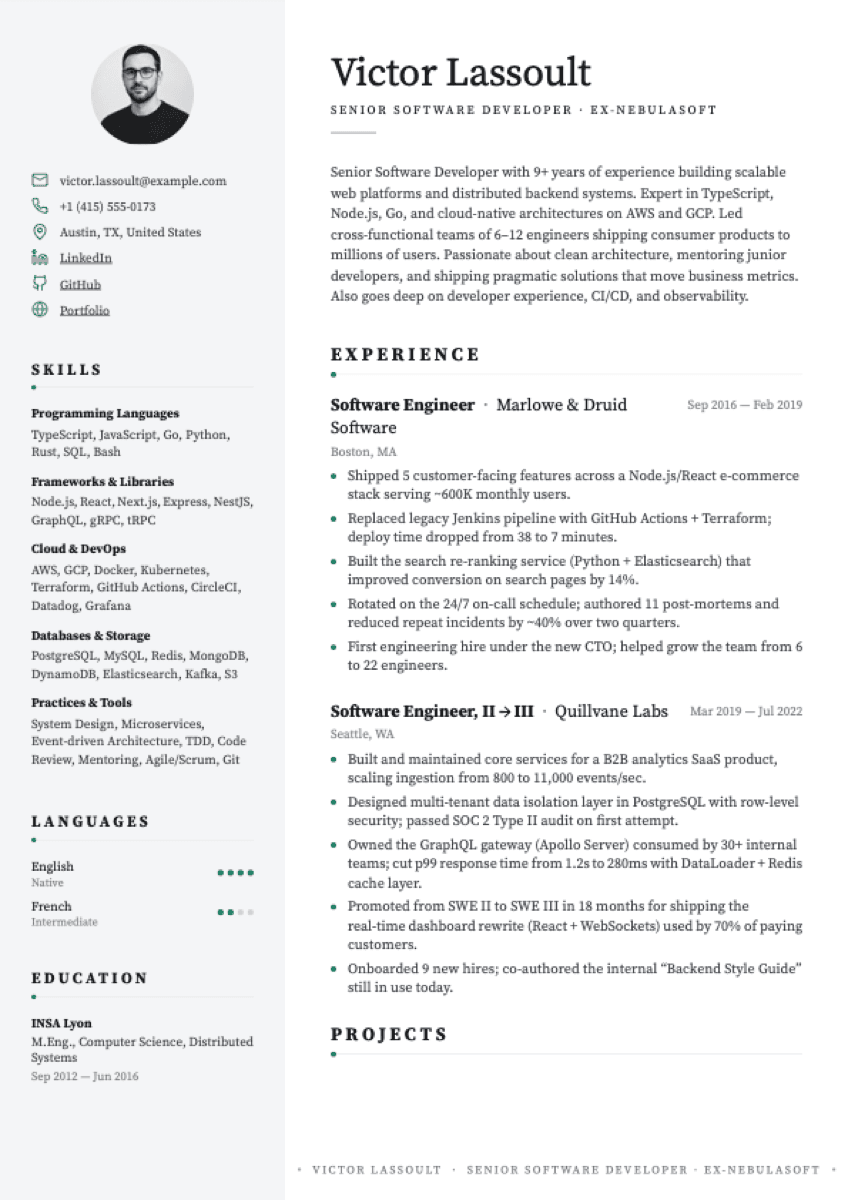
Premium Editorial
Delicate serif, restrained accents, grey sidebar.
Best for: Design-conscious senior roles
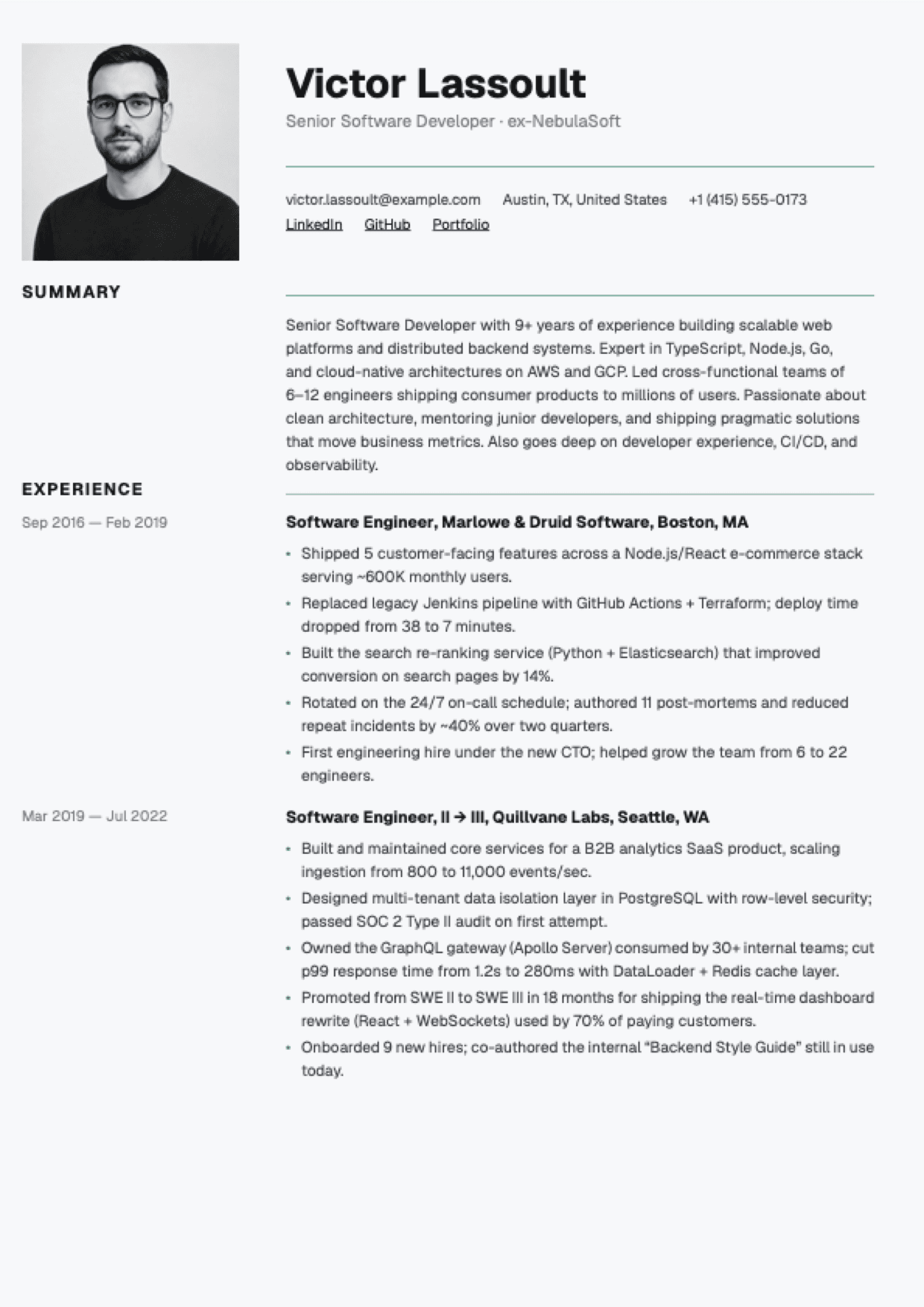
Portrait Premium
Photo-first editorial. Section labels on a grey rail.
Best for: Senior roles where a CV photo is expected (EU market)
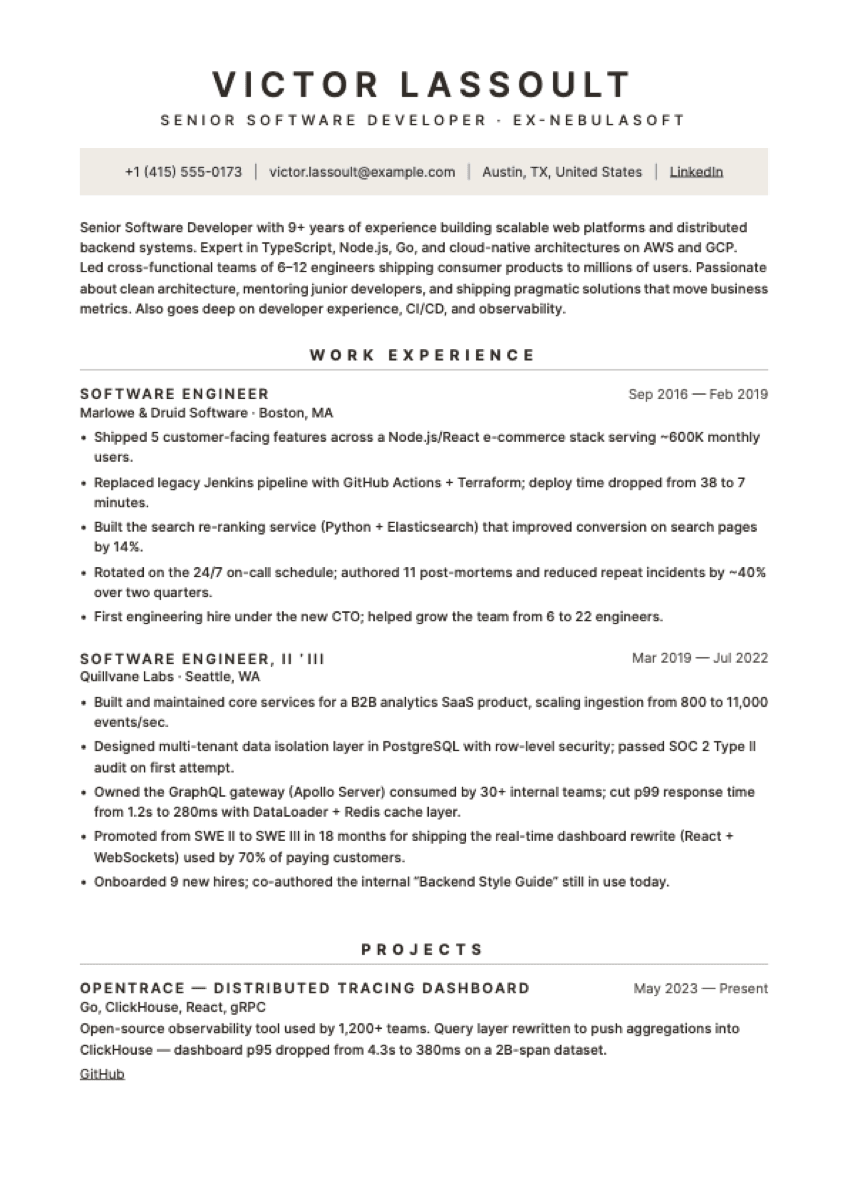
Slate
Centred modernist sans. Tinted contact strip, under-rule sections.
Best for: Operations, consulting, corporate — modernist minimalist taste
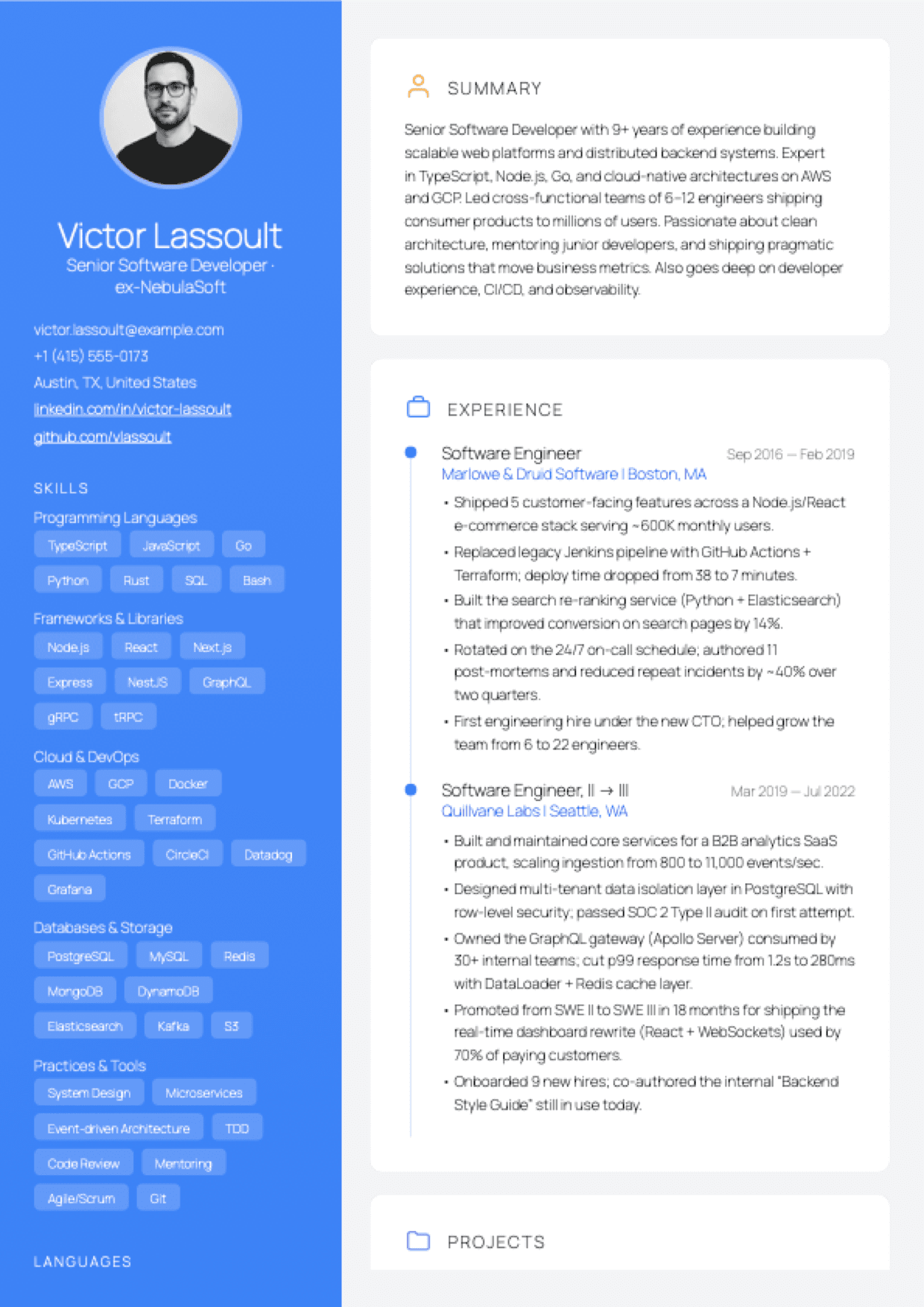
Aurora
Vivid gradient sidebar with avatar + chip skills, card-based right column with timeline experience and hex certifications. Designed-modern.
Best for: Software engineering, design, product — mid to senior
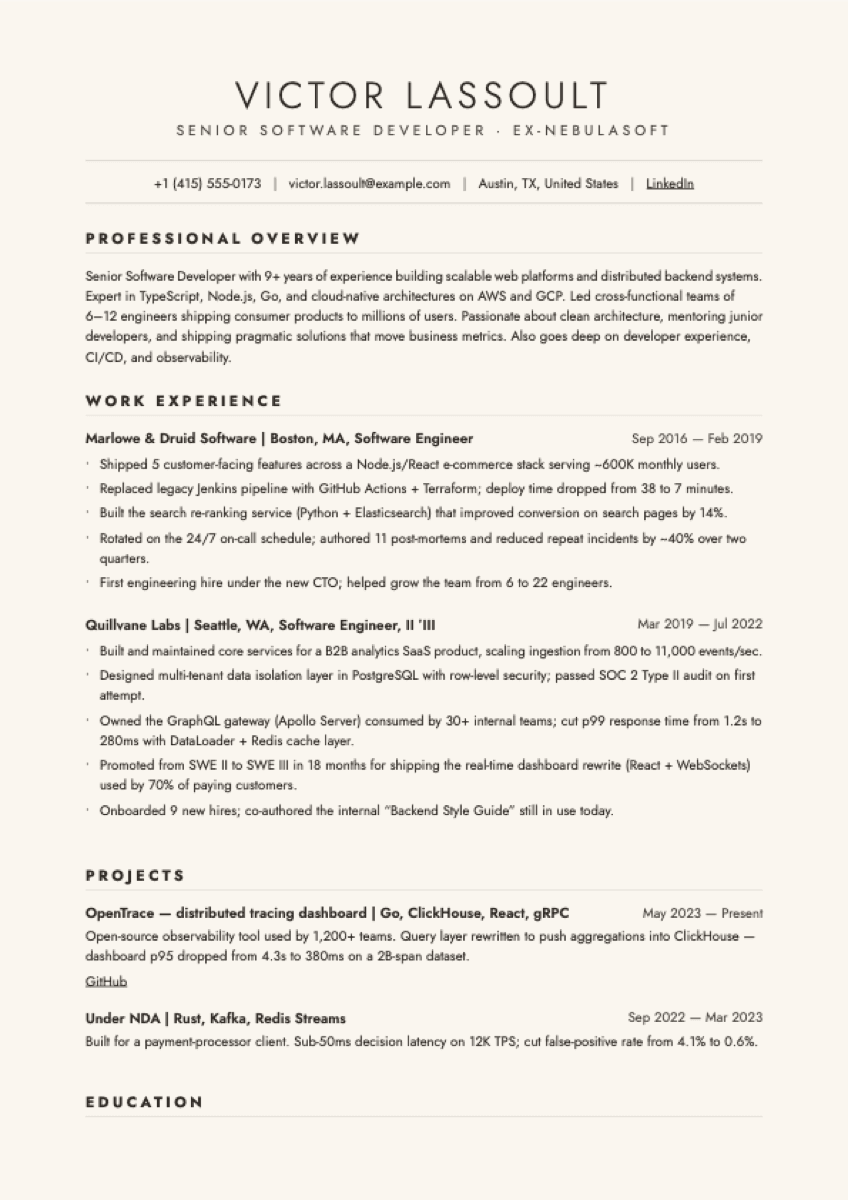
Vellum
Cream paper, geometric sans (Jost). Framed contact, left-aligned sections.
Best for: Marketing, brand, communications — editorial-brochure taste
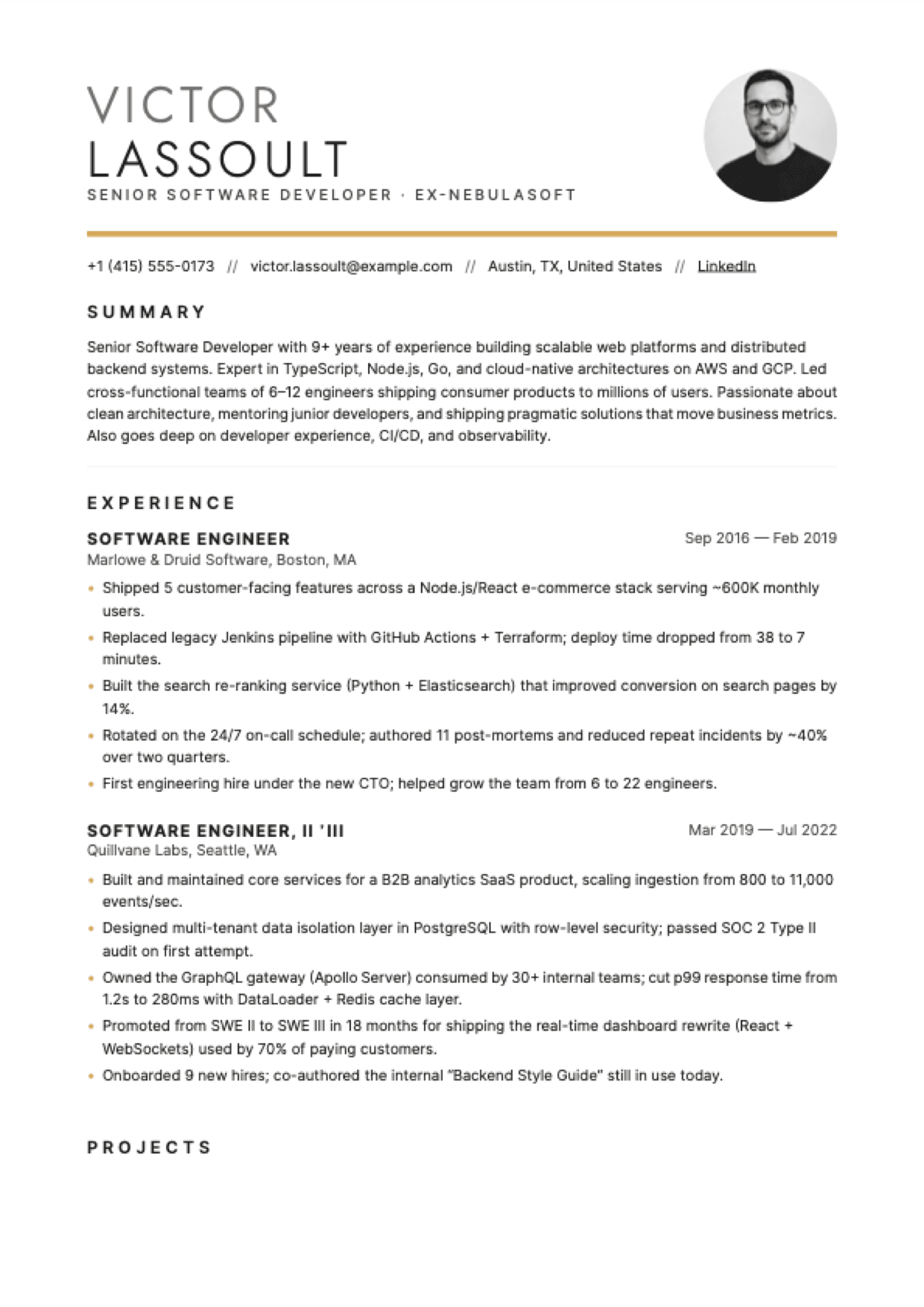
Linen
Two-line name + photo right, gold bar separator, // contact glyphs.
Best for: Marketing, consulting, EU market — photo expected
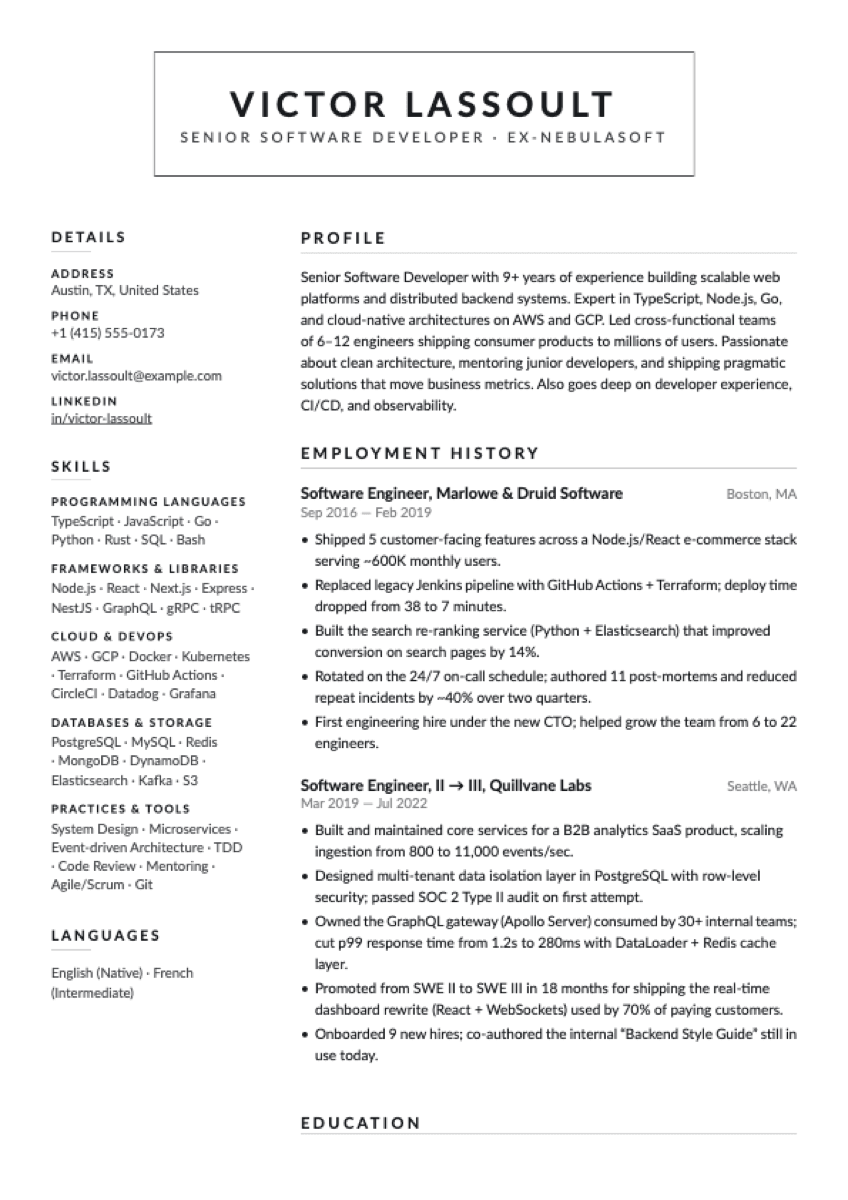
Folio
Centered bordered-box header + uppercase tracked section labels with hairline underline. Lato throughout. Letterhead aesthetic.
Best for: Senior + executive — retail, ops, business, consulting
Want more? See all 22 templates in the catalog →
Modern resume vs traditional — what's actually different
“Traditional” doesn't mean bad. But modern templates solve problems traditional ones create.
| Aspect | Traditional | Modern (Resumap) |
|---|---|---|
| Typography | One font, uniform size | Paired fonts, clear hierarchy |
| Layout | Single column, dense | Sidebar or structured columns |
| White space | Minimal | Intentional — aids scanning |
| ATS compatibility | Usually fine | Tested and confirmed |
| Photo support | Rarely | Select templates |
| Best for | Conservative industries | Tech, business, creative — most roles |
Modern templates are appropriate for the vast majority of industries in 2026. Conservative exceptions: federal government, some legal roles, classical academia — Classic Professional or a traditional CV format are a closer fit there.
Frequently asked questions
What makes a resume template “modern”?
Modern resume templates use contemporary design principles — clear typographic hierarchy, intentional white space, and structured layouts that guide a recruiter's eye. They balance visual appeal with ATS compatibility, unlike purely decorative templates that look good but confuse screening software.
Are modern resume templates ATS-friendly?
Yes — every Resumap template, modern and traditional, is built to ATS conventions: main-column → sidebar DOM order, standard section labels, no text-in-image content, and no tables that break parsers. Modern layouts with sidebars and structured columns are fully parseable when built correctly.
Are these templates free to download?
Three of the seven (Slate, Aurora, Folio) are free — full PDF export, no watermark, no subscription. The remaining four (Premium Editorial, Portrait Premium, Vellum, Linen) are Pro templates, unlocked per template with a one-time 400-credit purchase. Credits never expire.
Which modern resume template is best for tech roles?
Slate (modernist centred sans, clean rail of contact details) and Aurora (vivid gradient sidebar with chip-style skills and card-based timeline) are both built for technical roles. Slate skews minimal; Aurora is the most overtly “designed” template in the set.
Can I use a modern resume template for a senior role?
Yes. Premium Editorial, Vellum, and Linen are explicitly designed for senior professionals — paired editorial typography, room for longer career histories, layouts that don't crowd. Folio's letterhead aesthetic also reads as senior-corporate / consulting. All support multi-page resumes automatically.
What's the difference between modern and traditional templates?
Modern templates use contemporary typographic hierarchy (paired fonts, varied weights, intentional white space) and structured layouts. Traditional templates use a single font at uniform size in dense single columns. Both can be ATS-friendly when built carefully — Resumap's modern templates are tested and confirmed.
Pick a template. Start writing. Download free.
No sign-up to browse. No watermark on export. No subscription, ever.
22 templates total · Free PDF on free tier · ATS-tested