
Free Resume Builder That Doesn't Lock You Out.
15 ATS-tested templates. PDF export free, forever. No watermark, no subscription, no credit card — ever.
Login with Google.
Actually free. Here's what that means.
- Free PDF export
- No subscription
- ATS-tested templates
- Save with Google
- No watermark
- No credit card
- No auto-renewing trap
- No bait-and-switch
15 free templates — every single one exports to PDF
Pick one. Every template is ATS-friendly, watermark-free, and yours to download.
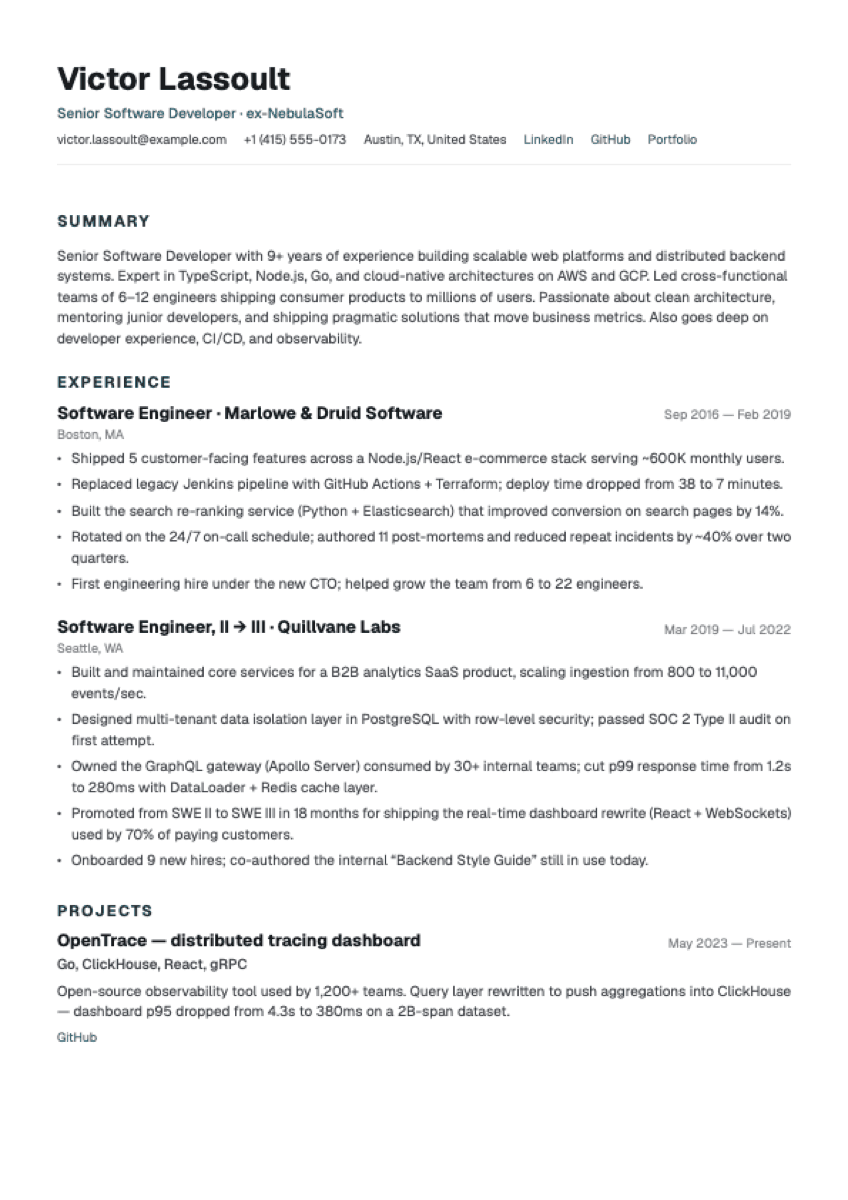
Modern Minimalist
Clean, contemporary. Generous whitespace.
Best for: Tech, startups, modern companies
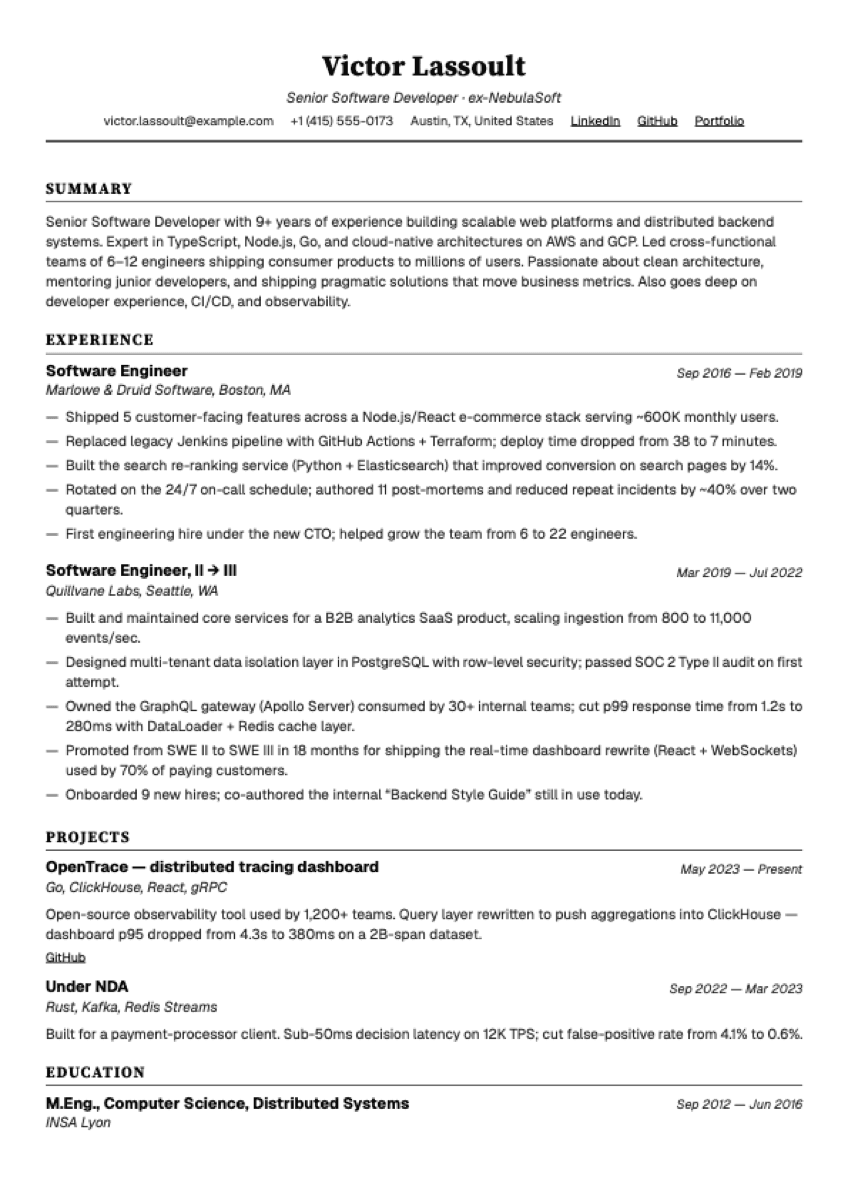
Classic Professional
Traditional formatting. Maximum content density.
Best for: Corporate, finance, legal, government
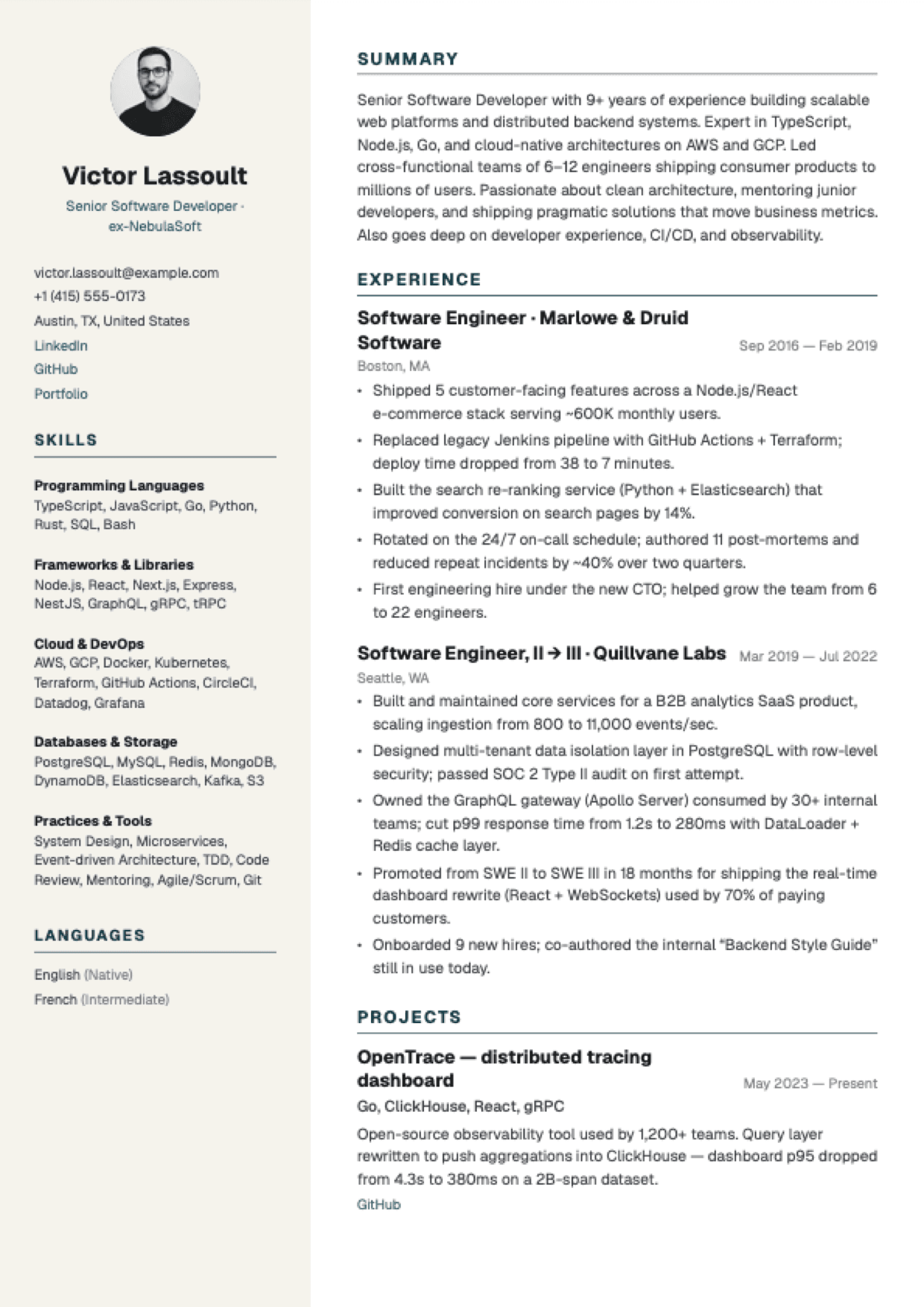
Compact Engineer
Two-column layout. Sidebar for skills + languages.
Best for: Senior engineers, dense CVs
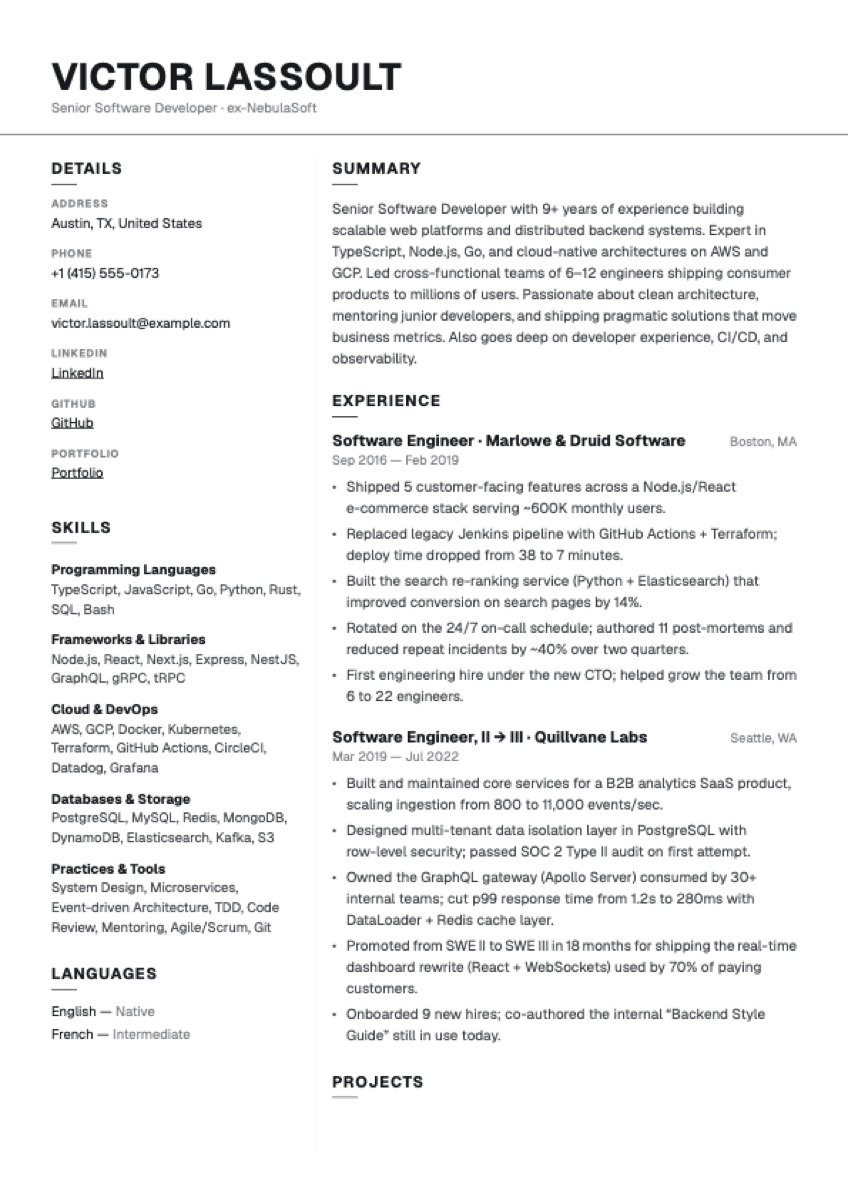
Sidebar Mono
Two-column monochrome. Details + skills rail.
Best for: Generalists, editorial taste, no-colour preference
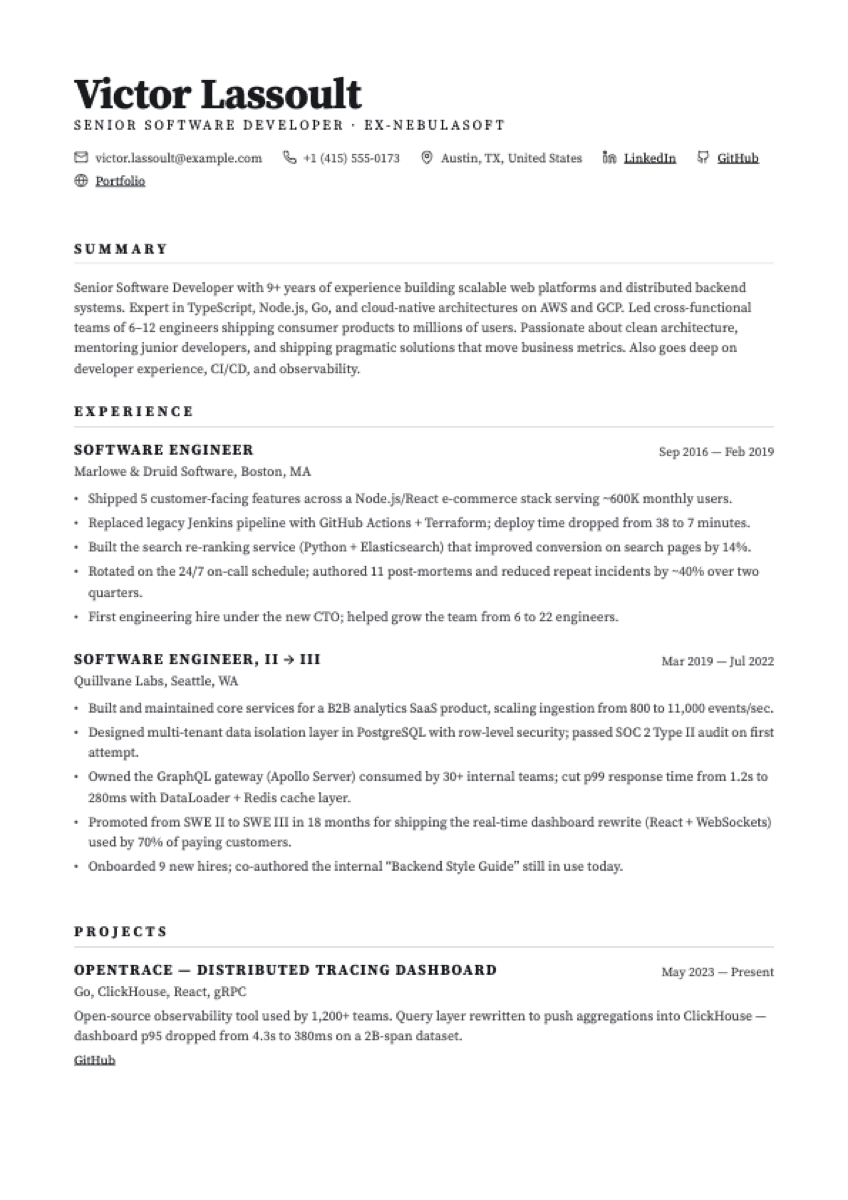
Gazette
Single-column editorial. Serif, ROLE-in-CAPS titles.
Best for: Senior generalists, density-favoured CVs
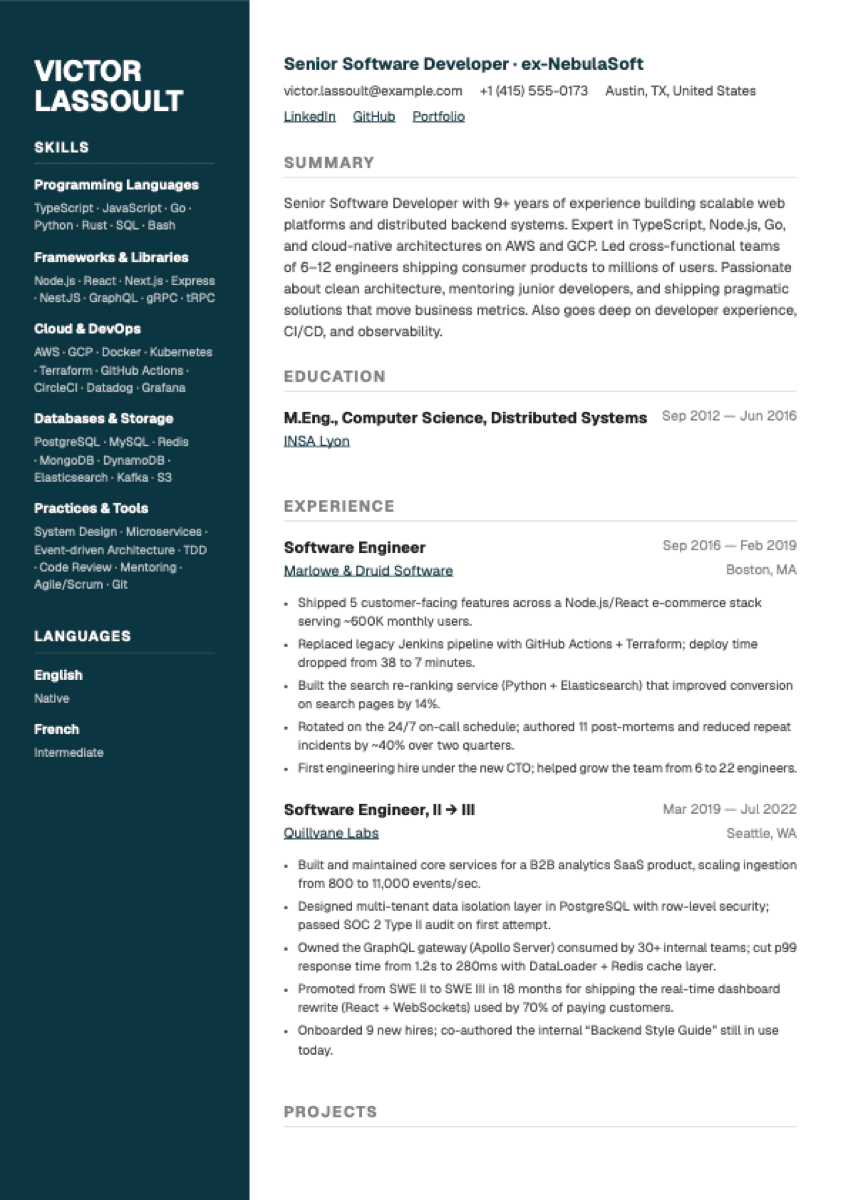
Beacon
Navy sidebar with picker-driven text accents. Tech-leaning two-column.
Best for: Engineering, data, cloud, technical roles
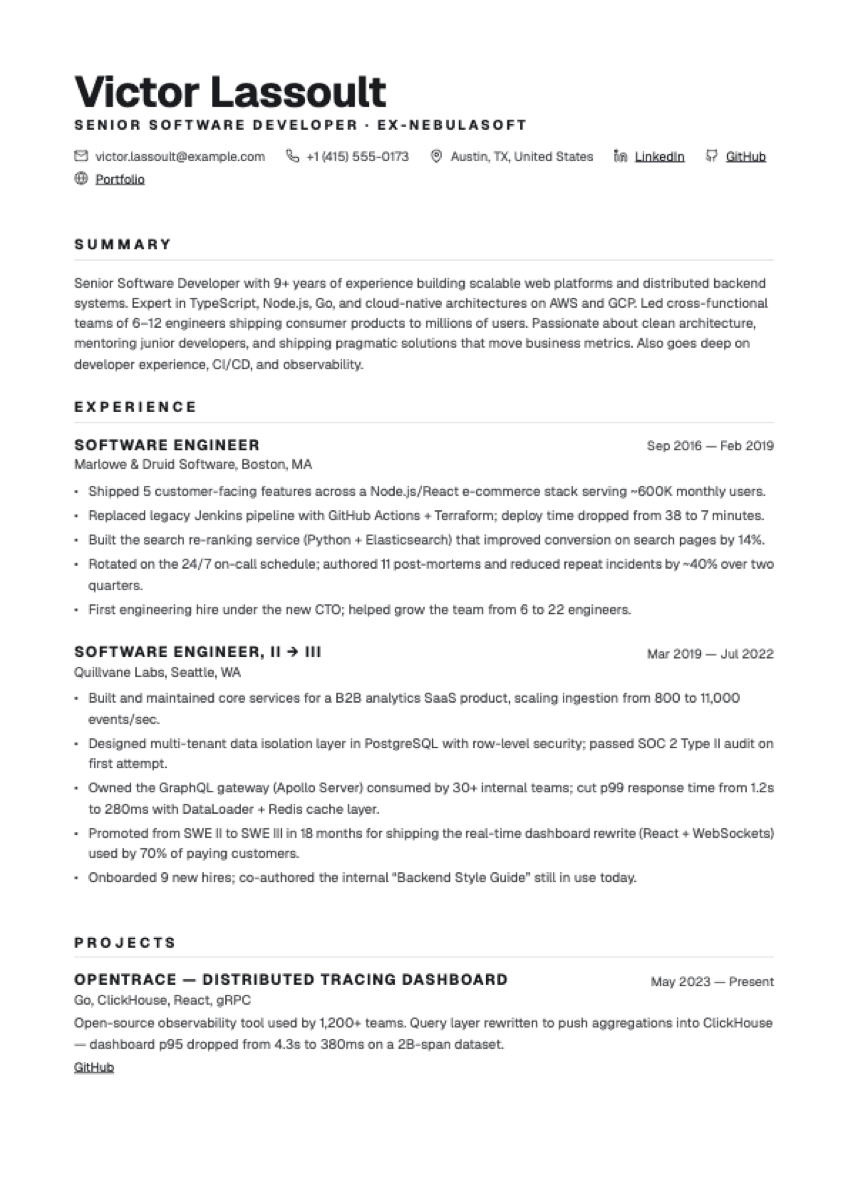
Bulletin
Single-column editorial. Humanist sans, ROLE-in-CAPS titles.
Best for: Generalists who want editorial structure without serif voice
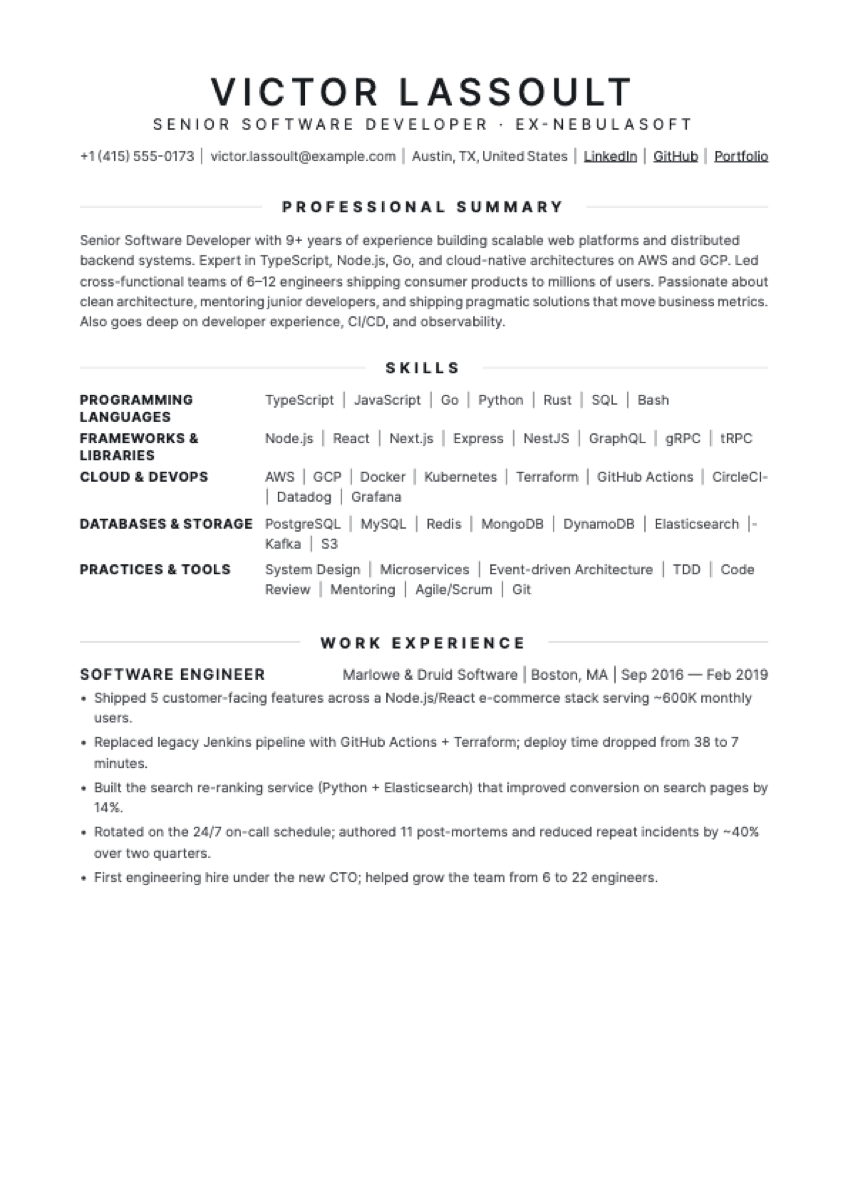
Herald
Centred editorial serif. Wide-tracked CAPS, flanked section rules.
Best for: Senior generalists, formal industries, memoir-style CVs
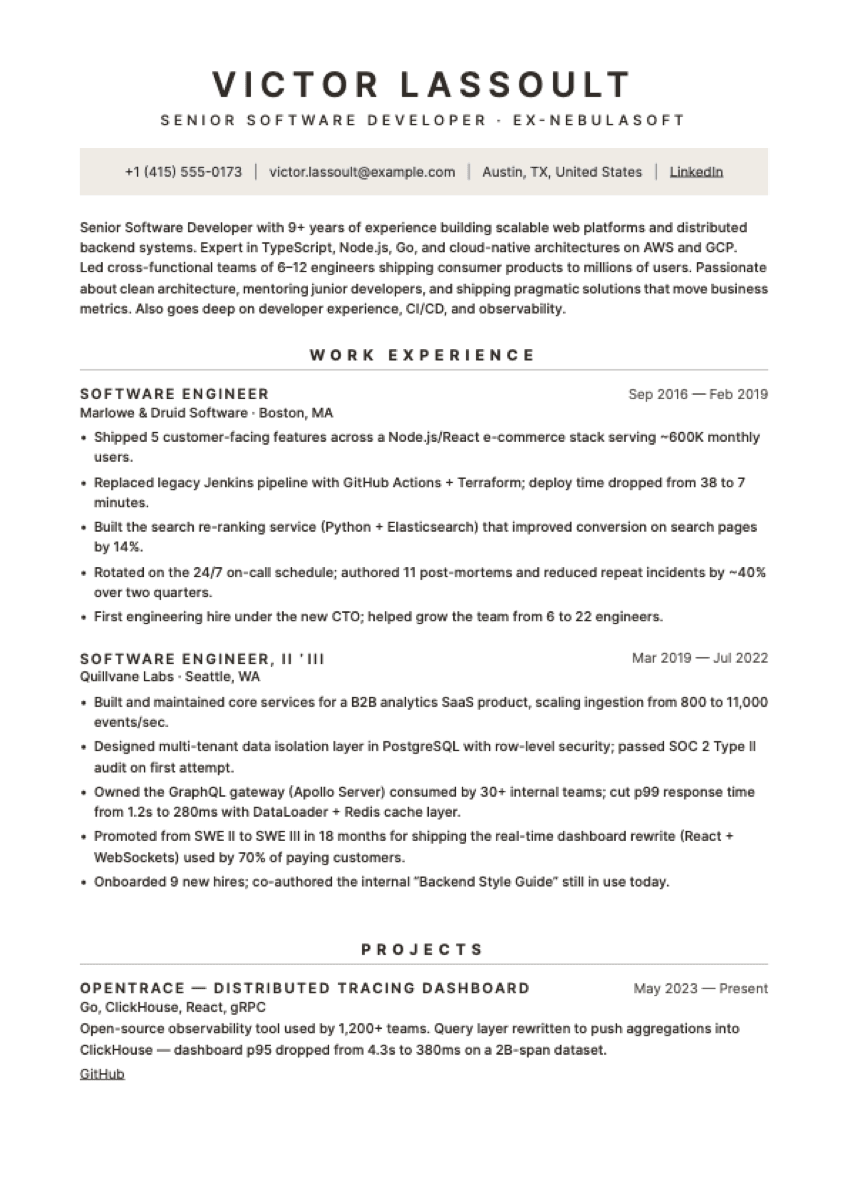
Slate
Centred modernist sans. Tinted contact strip, under-rule sections.
Best for: Operations, consulting, corporate — modernist minimalist taste
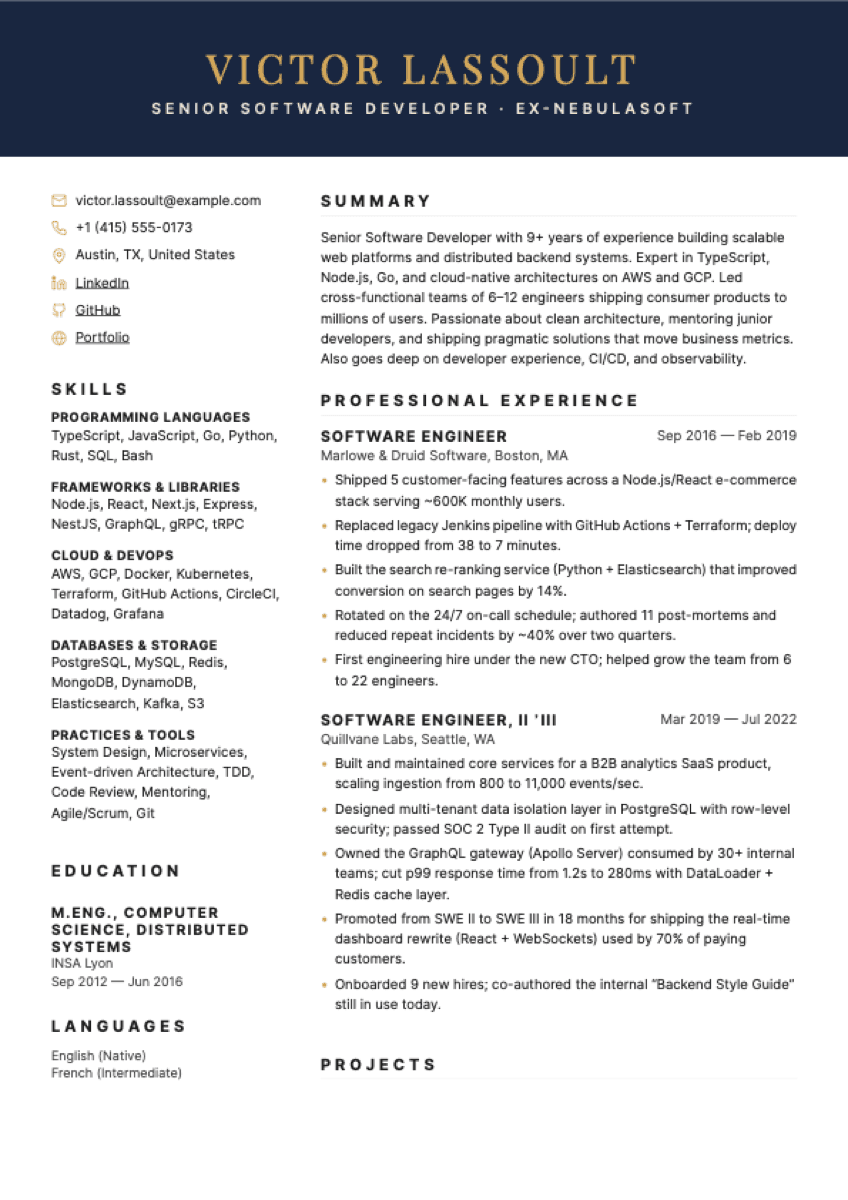
Sovereign
Navy banner with gold serif name. Two-column body, gold contact icons.
Best for: Executive, senior corporate, leadership roles
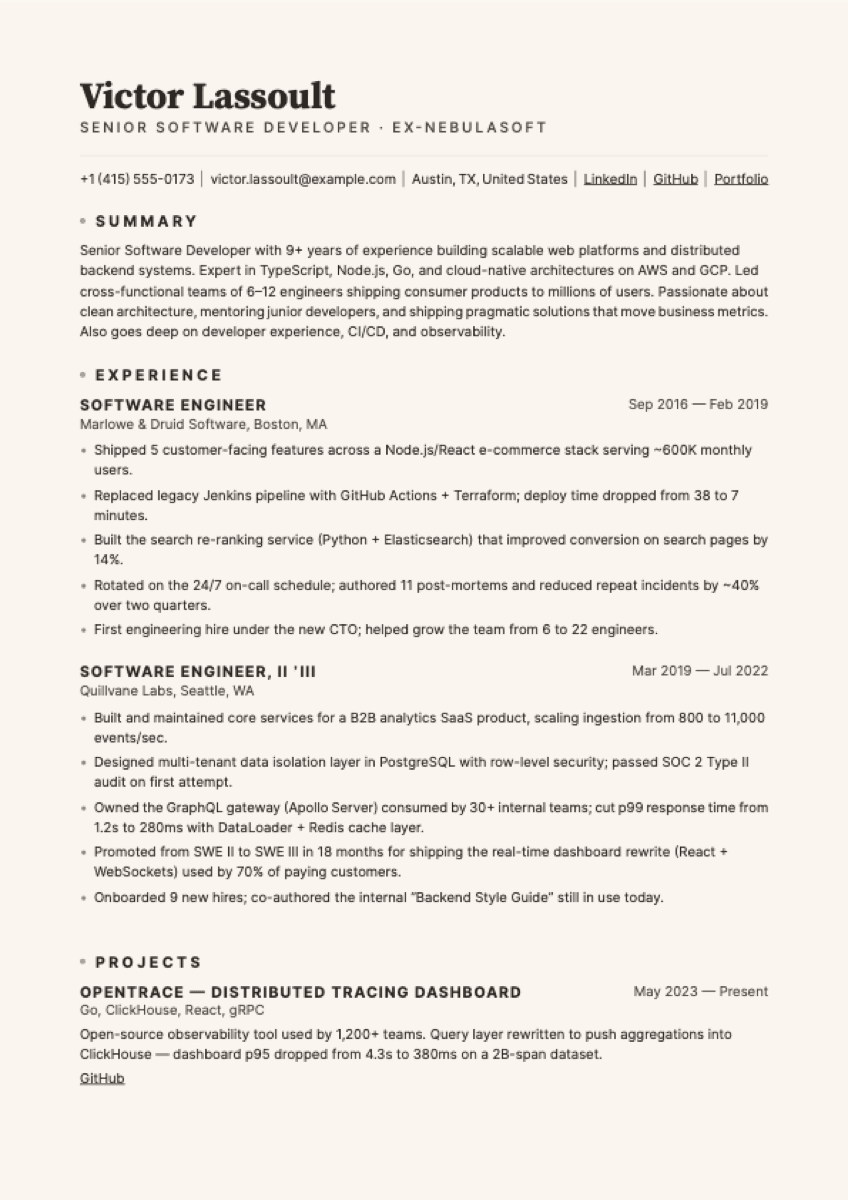
Atrium
Cream paper, left-aligned Source Serif name, hairline gold accents.
Best for: Generalists, editorial taste, premium-look without the photo
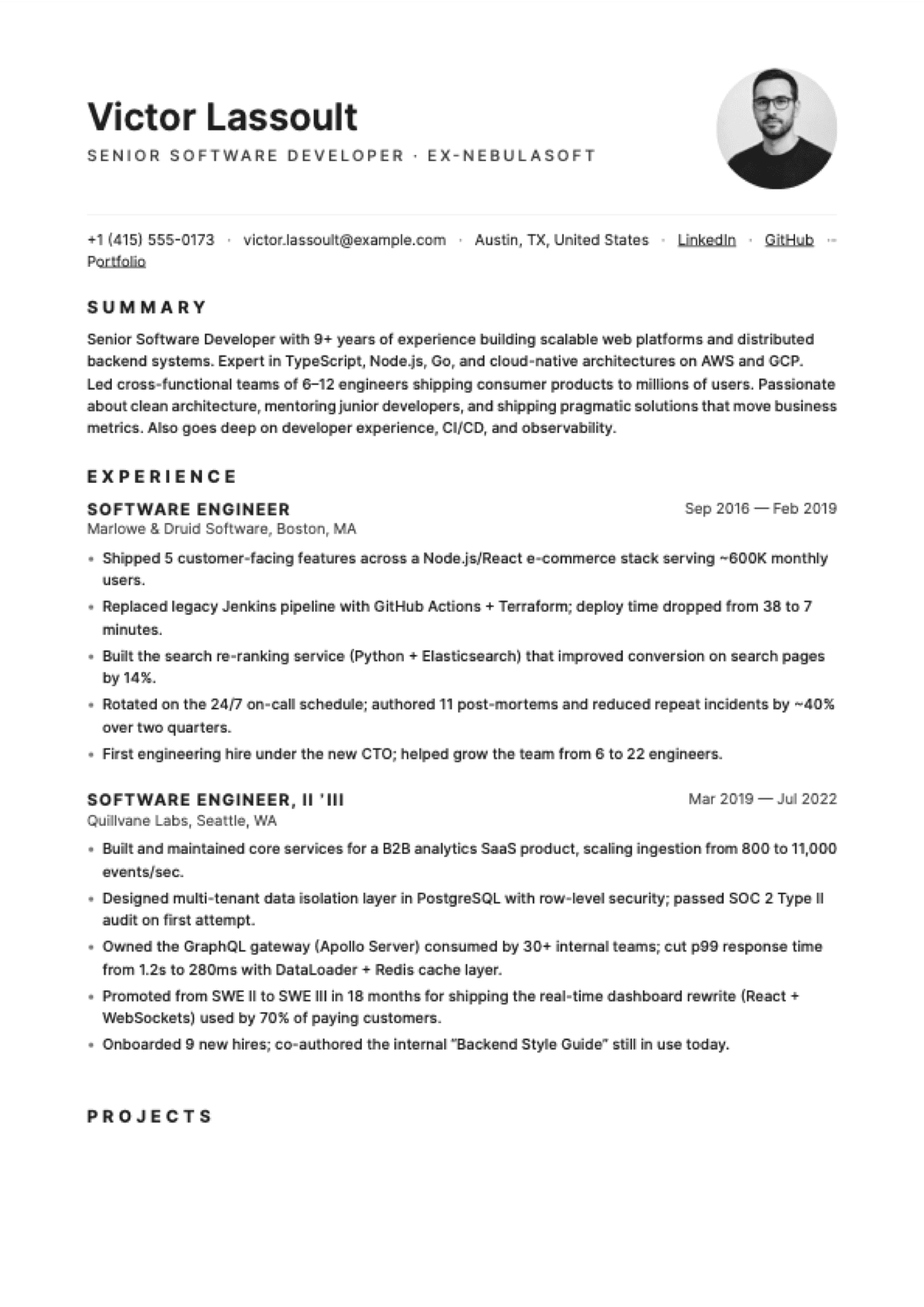
Studio
Single-column with photo top-right. Inter throughout, grey hairline.
Best for: Marketing, creative, EU market — photo expected in free tier
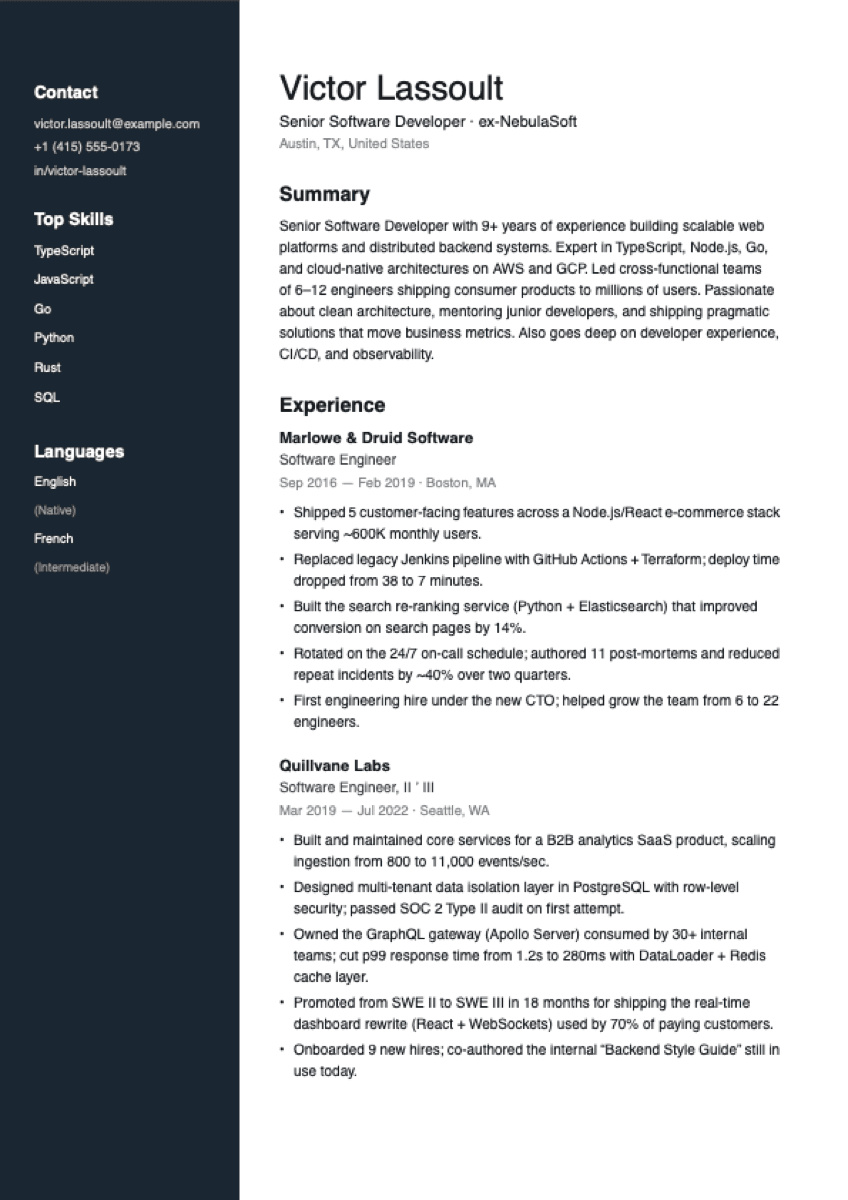
Cobalt
Inspired by the LinkedIn PDF export aesthetic — clean Helvetica, navy sidebar, neutral corporate look.
Best for: Anyone who wants a calm, neutral, professional-network export style
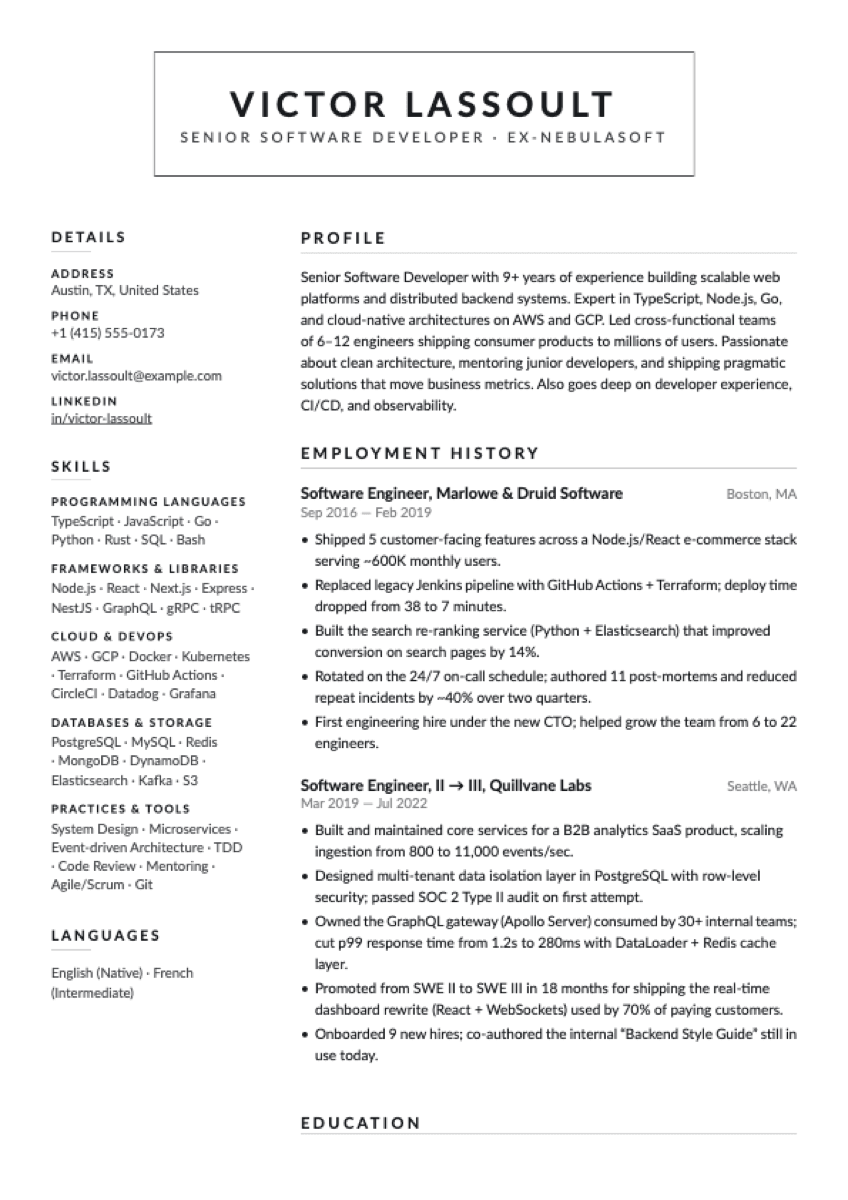
Folio
Centered bordered-box header + uppercase tracked section labels with hairline underline. Lato throughout. Letterhead aesthetic.
Best for: Senior + executive — retail, ops, business, consulting
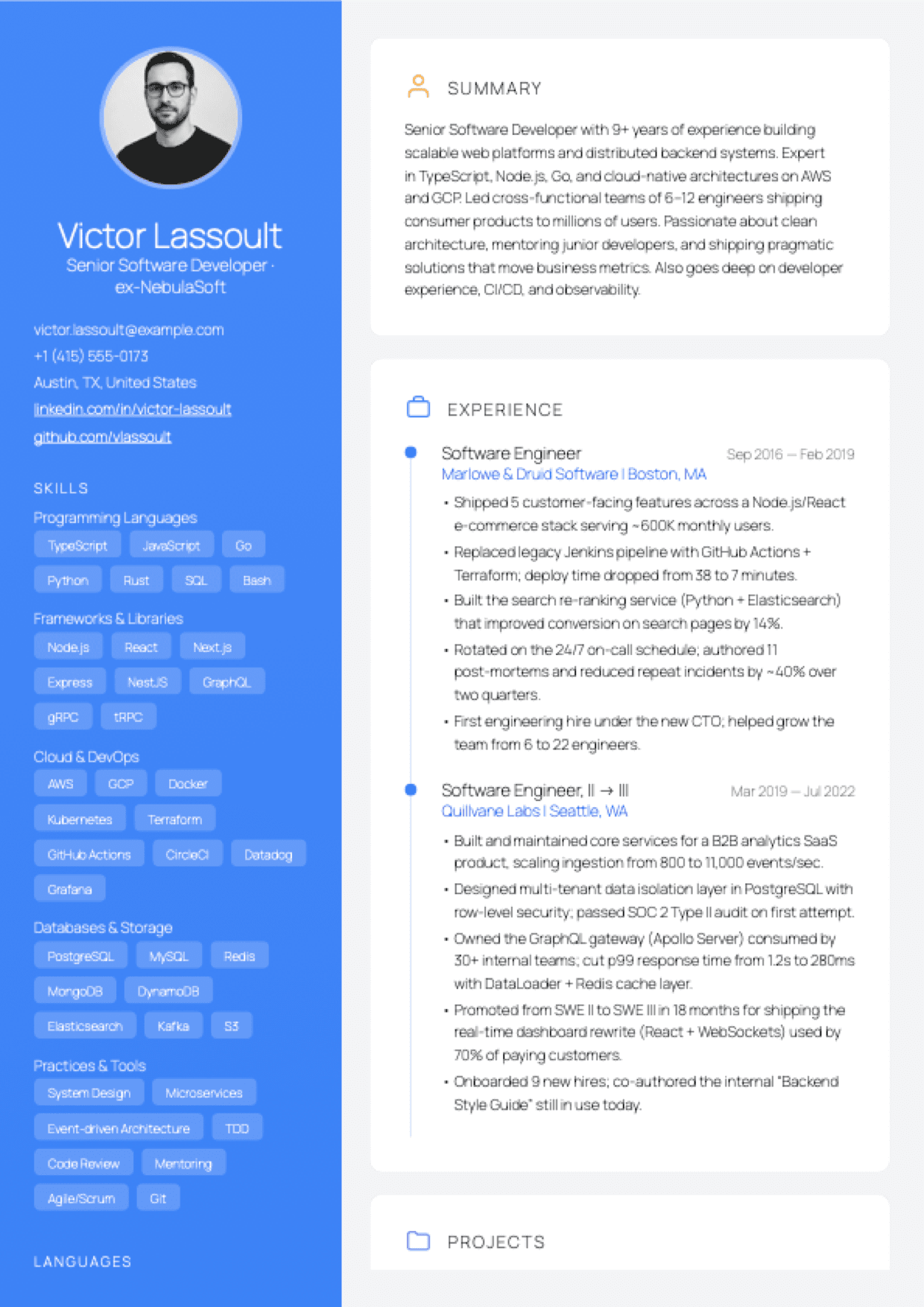
Aurora
Vivid gradient sidebar with avatar + chip skills, card-based right column with timeline experience and hex certifications. Designed-modern.
Best for: Software engineering, design, product — mid to senior
+ 7 Pro templates available for those who want more. See all templates →
Build a resume in three steps.
Pick a template
Choose from 15 free ATS-friendly designs. No account needed to browse.
Fill in your details
Auto-saves as you type. Add experience, skills, education — in any order.
Download your PDF — free
One click. No watermark. No paywall at the finish line.
Why people switch from Zety, Resume.io, and Novoresume
Most resume builders show you a finished resume, then charge you to download it. Resumap doesn't.
| Feature | Resumap | Zety | Resume.io | Novoresume |
|---|---|---|---|---|
| Free PDF download | ||||
| No watermark (free tier) | ||||
| No subscription required | ||||
| ATS-friendly templates | ||||
| No credit card to start |
Competitor data sourced from each builder's own pricing page, May 2026. We update this table quarterly. See /compare/zety, /compare/resume-io, and /compare/novoresume for the full attribute-by-attribute breakdowns.
Frequently asked questions
Is this resume builder really free?
Yes. You can build a complete resume and download it as a PDF for free — no credit card, no trial, no watermark. We offer optional paid credits for AI tools like ATS scanning, but the core builder and PDF export are free forever.
Do I need to create an account?
Sign-in with Google is required to save your resume and download the PDF. There's no separate sign-up form, no password to remember, and no credit card. The Google OAuth round-trip takes about 5 seconds.
Will there be a watermark on my downloaded resume?
Never. All 15 free templates export as clean, watermark-free PDFs.
Is the PDF ATS-friendly?
Yes. All Resumap templates use ATS-friendly DOM order (main column → sidebar) with standard section labels and no skill-bar visual encoding — the parsing patterns that the major Applicant Tracking Systems rely on.
How is Resumap different from Zety or Resume.io?
Zety and Resume.io both run a $1.95-or-$2.95 trial that converts automatically to $25.95-$29.95 every 4 weeks (~$337–$389 annualised). Resumap doesn't — the full PDF export is free on every template, forever, no trial, no card. See our full /compare/zety and /compare/resume-io pages for the line-by-line breakdown.
Can I edit my resume after downloading?
Yes. Your resume auto-saves to your account. Log in anytime to update and re-download — still free, still no watermark.
Pick a template and start writing.
Auto-saves as you type. Export when you're done. That's the whole flow.
Login with Google.
More free resume builder options
- Free resume builder, no watermark
- Free resume builder, no subscription
- Free resume builder, no credit card
- Free resume PDF download
- Resume builder, no sign-up